New side project just dropped [0]
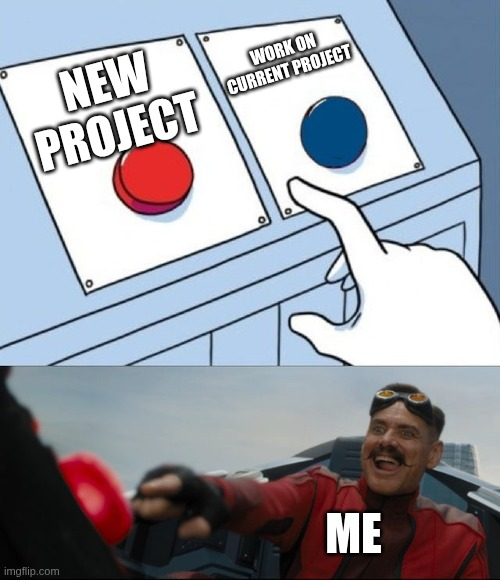
So it’s been a while since my last update (Going 0 to Senior Dev on 09/07/26 yikes), and as any developer with self-diagnosed ADHD, I started working on a new project.
This is a good time to mention that this project was purely exploratory and should not be used for normal business operations, and always double check the information presented.
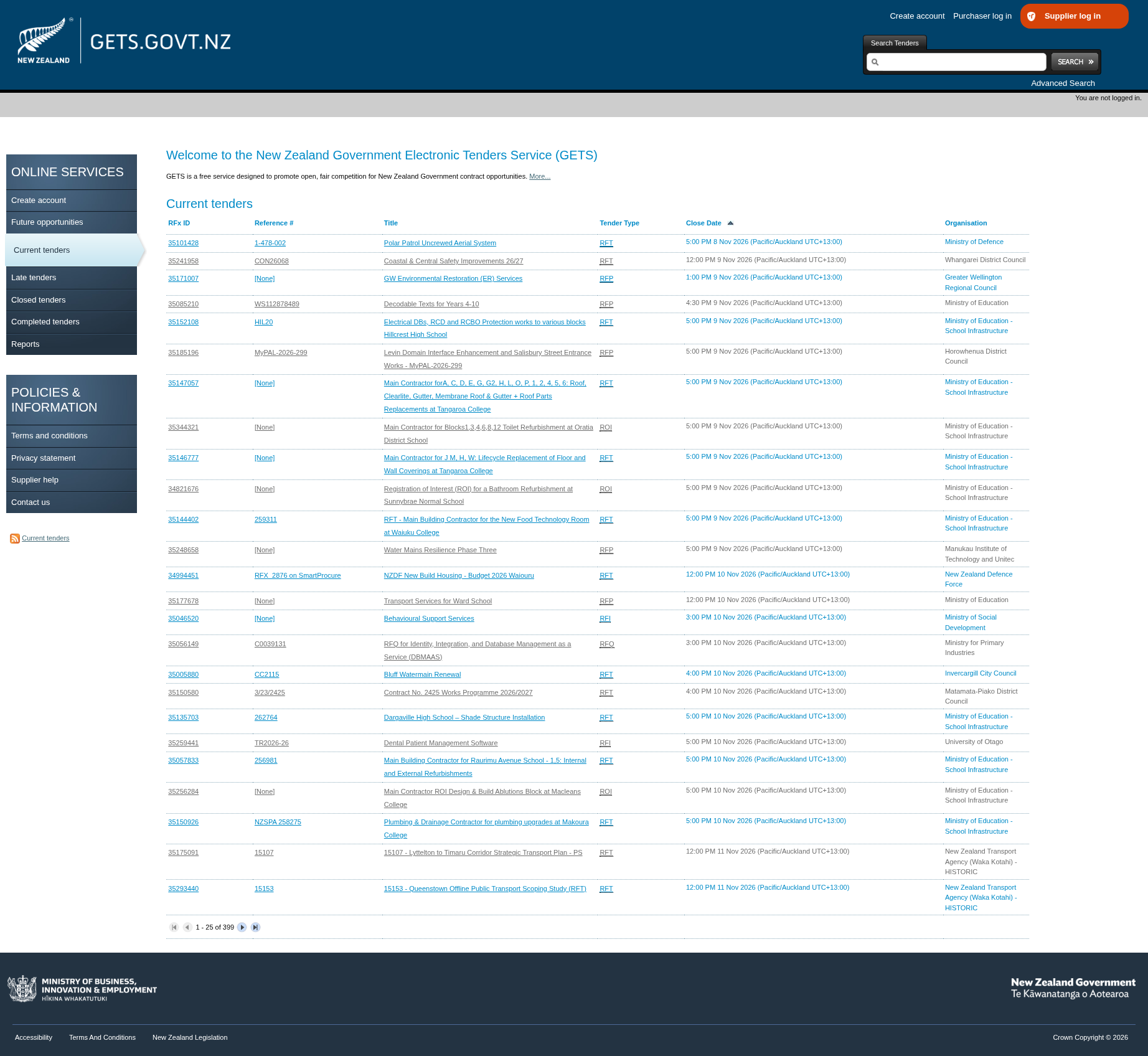
While working on my current project (Avedii) I decided to stretch frontend skills as I planned on adding a SPA component to the existing application. Well like any dev I couldn’t think of anything to work on, until they are met with a poorly designed website. So I did just that, and my target was GETS.
GETS is New Zealand Governments place where agencies promote government contracts for different businesses and entities to place bids on said contract. Looking at the UI, there is definitely some work that can be done.
Scope
Before I started designing it I wanted to figure out where I was going to pull the data from, that I wanted to display. In a second iteration I could consume more data that would be relevant to display.
The first iteration will focus purely on grabbing the info of tenders on the home page of GETS and display it nicely.
Requirements and Tools
Requirements:
- Consume all the data on the GETS
- Store the information in a database for faster lookups
- Handle searching and filtering from the frontend
- Show all the information in a nice UI
I decided to go with SvelteKit for this since I’m the most familiar with it and its been the nicest Javascript framework to work with. It also supports server actions through page.server.ts.
With SvelteKit, I’ll obviously reach for Tailwindcss because writing Vanilla CSS for your entire UI gets cumbersome.
For the database I wanted to try out the Rust fork of SQLite, Turso. There was no real technical decision made here, other than it seemed cool and interesting so why not. To work with this we’ll just use Drizzle, since its fast and gives a reasonable level of custom querying.
If this project was about making practical decisions, I would’ve just stuck to my current favourite stack.
A Tale in Processing
Now the main focus was to reinvent the frontend, but as things happen I ended up going down the rabbit hole of how I the data should be extracted, transformed, and loaded. Wait. These are data engineering principles.
Revelations aside, I needed to read data off GETS and as luck would have it they had an RSS feed for all the currently open tenders.
If you don’t know what RSS is you should definitely learn more about it. It’s an awesome way to subscribe to sites that you like, and it really should be adopted more.
That makes getting the data more easy, just run a fetch on that file.

But now we have to parse the XML file and then deduplicate it, and load it into the database.
Luckily, since we’re in the JS ecosystem there’s a package for that rss-parser, lets grab that and we’re golden. Add some custom handling of parsing of strings and ids, and we’re left with a very simply XML parser of the RSS feed.
export const Parse = async (): Promise<Item[]> => {
	const parser = new Parser();

	const feed = await parser.parseURL('https://www.gets.govt.nz/ExternalRSSFeed.htm');

	const itemsWithId = feed.items.map((x): Item => {
		return {
			...x,
			id: getId(x.link ?? '')
		};
	});

	return itemsWithId;
};
…but we still need to remove the duplicates that come in so we aren’t needlessly filling up the database. Luckily (maybe?), since we’re being lazy when we update the object we can add onConflictDoNothing().
If this was going to be a full scale system I would want to do some more specific checking to see if end dates for a tender change, and things like that, but for now we can afford to be lazy.
Then after a little bit of data modelling and more loading of data we’ve got a functional refresh system.
I forgot I hate UI
It was around this point in time where I remembered I found UI design very finicky, and difficult to build good UI. Maybe not best the project I should’ve undertaken, but here we are anyway.
As a personal side note, I think this is where AI is very helpful. If you’re like me, you’re probably not the best at making good UIs quickly and this is exactly the kind of area AI is good at. I still think write as much of the code yourself but for quickly refining it, it does a pretty good job. When it comes to the backend, I still think that devs should be doing most of this by themselves, especially in an early startup phase. Maybe I’ll write about this later.
Well let’s just keep it simple, search bar, filter dropdowns, cards, titles, badges for categories, and finally subheadings for advertising agency.
Doing a little creative prompting using Gemini and some using some custom stylesheets I was able to produce the following.
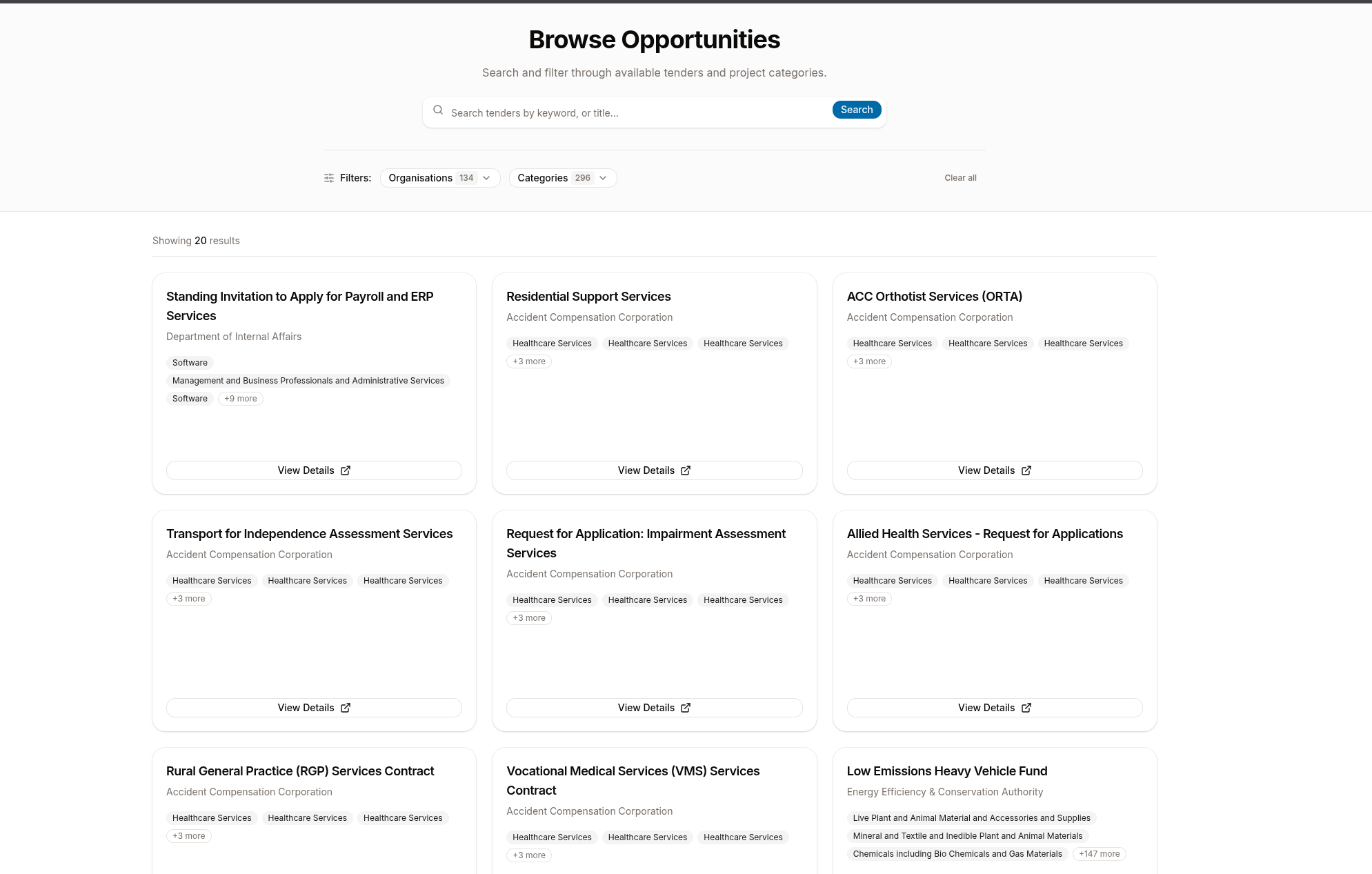
With semi-fast searching and filtering using tags, it’s a semi finished project.
Fin
I could keep adding to this by having it display details of each tender fully inside the app but as a quick experiment with Sveltekit for a full-stack app, it wasn’t too bad.
The decision fatigue from deciding on which libraries to use like database handling, RSS parsing, etc, wasn’t as significant. That was probably because scalability and production viability wasn’t a serious concern.
All in all, as I’m writing this I’m forgetting what the purpose of this project even was, but it was interesting nonetheless.
Check out the repo here.
-P